
This article explains how to retrieve personnel credentials using the UnityIS REST API.
🔑 Note: Before proceeding, please ensure you’ve reviewed the guide on Generating and Validating API Tokens. Keep in mind that only the most recently generated token is valid. Regenerating a new token will automatically invalidate the previous one.
1. Retrieve Credentials
To retrieve a person’s credential information, use the get_credential_api command. Refer to the screenshot below for an example of the API call and its output.
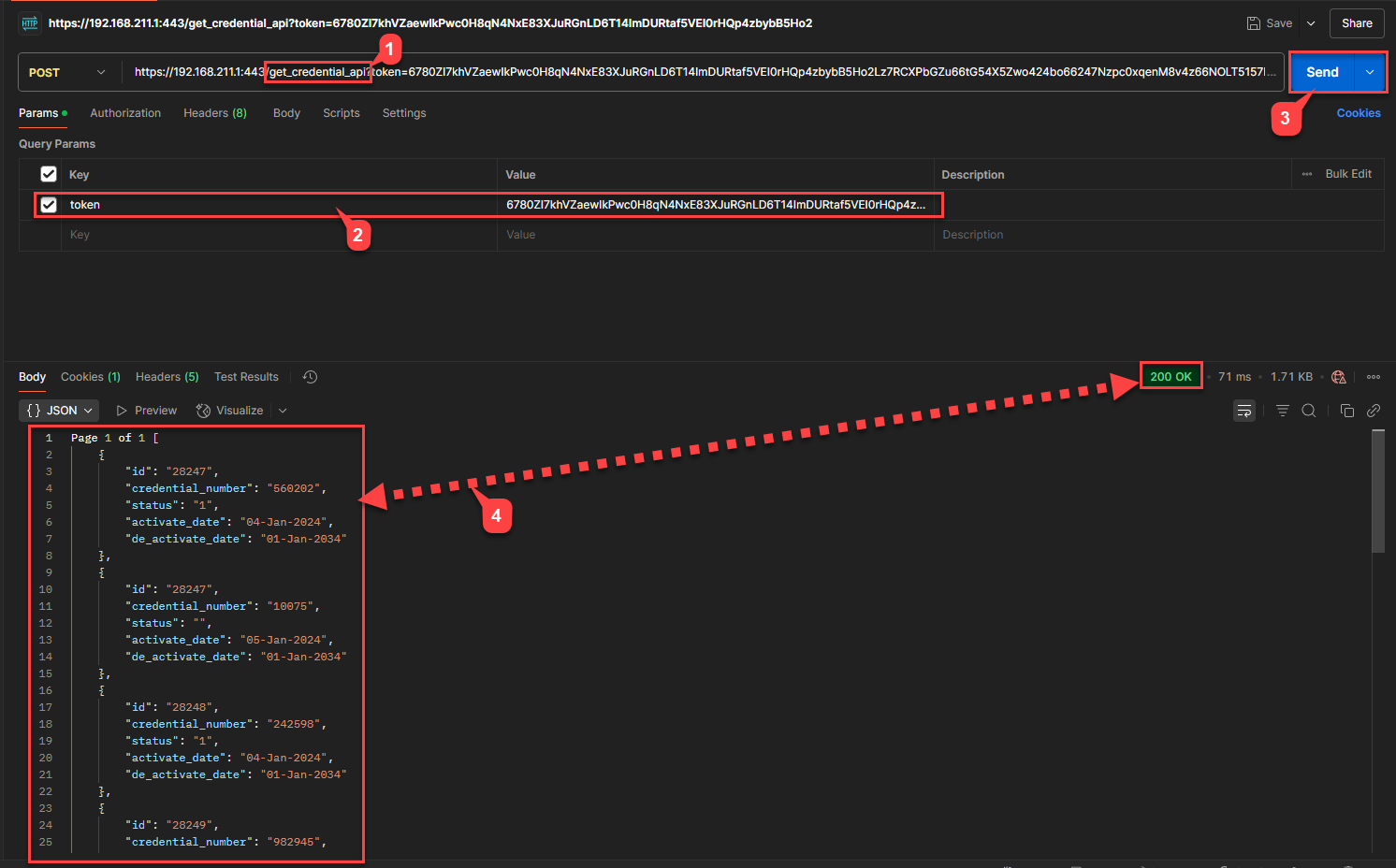
When querying credentials for a person ID, the response will include data in the following format:
{
"id": "28247",
"credential_number": "560202",
"status": "1",
"activate_date": "04-Jan-2024",
"de_activate_date": "01-Jan-2034"
}
Field Descriptions
id: The person’s unique record ID.
credential_number: The assigned credential (e.g., card or fob number).
status: The current status of the credential.
activate_date: The date from which the credential becomes active.
de_activate_date: The expiration or deactivation date of the credential.
Credential Status Codes
Below is a list of possible values for the status field:
| Code | Description |
|---|---|
| 1 | Active |
| 2 | Lost |
| 3 | Returned |
| 4 | Deactivated |
| 5 | Terminated |
| 6 | Broken |
| 7 | Furlough |
| 100 | Created |
| 101 | Created and Email Sent |
| 102 | Activated |
| 103 | Pending Revoke |
| 104 | Revoked |
| 105 | Deleted |
| 106 | Lost (duplicate code, may need clarification) |
| 107 | Created and Email Not Sent |